Personal Platform
Family and personal admin in a single self-hosted web application: calendar, office attendance, cars, shopping, loyalty cards, to-dos and finances. This page uses screenshots to show which ideas and solutions it contains. The images were taken from the production application's code with made-up data; the buttons do not work here.
Home – everything at a glance
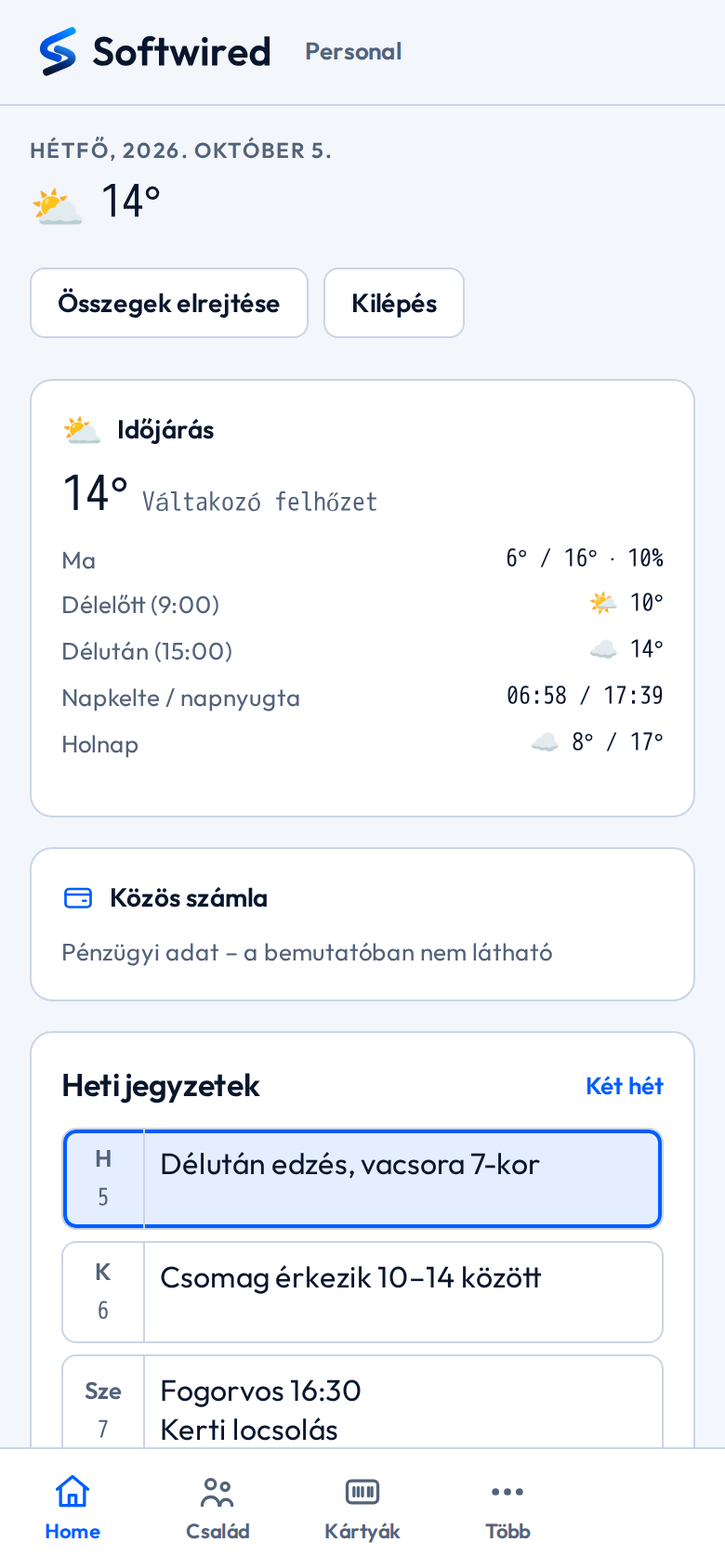
The home page is filled by the modules themselves: each one contributes its own read-only summary card.
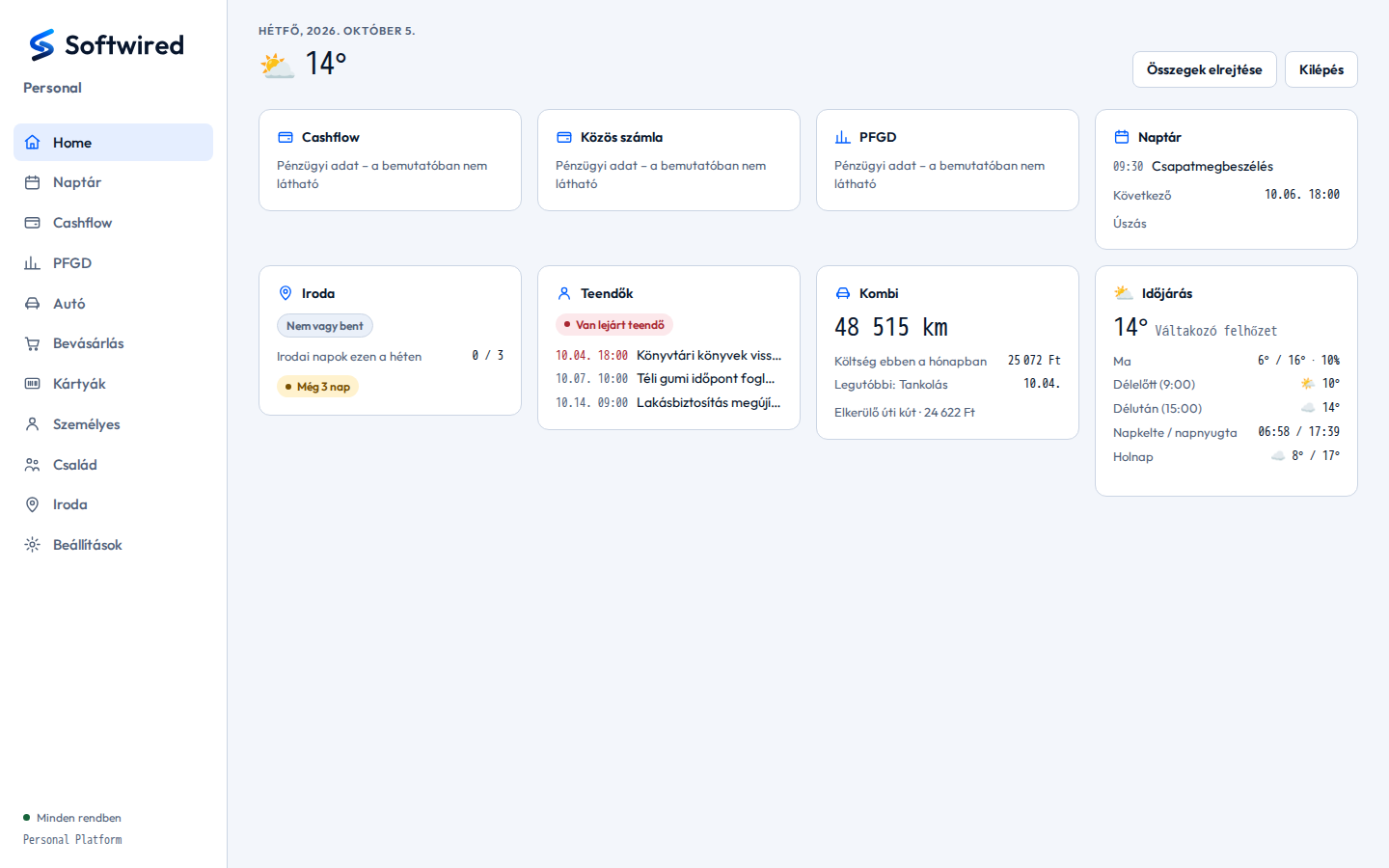
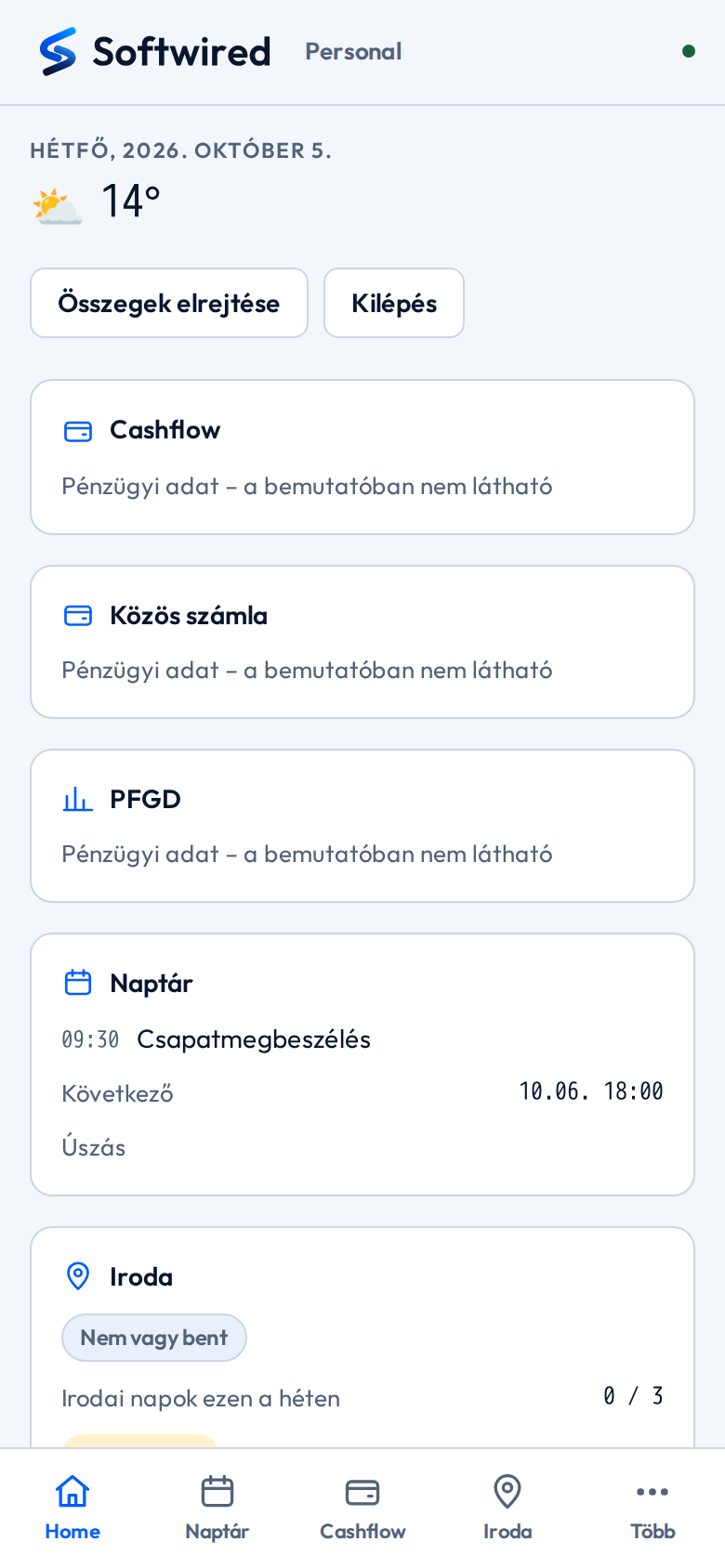
- Live module cards: next event, the car's monthly cost, overdue to-dos, weather. If one module fails, only its own card is empty; the rest keep working.
- The finance cards (Cashflow, shared account, PFGD) are intentionally blank in this showcase.
- “Hide amounts”: one tap removes every amount from the screen when someone is looking over your shoulder.
- Office attendance: the weekly target and how many office days are still to go.
- Overdue to-do warning right on the home page.
- On mobile: bottom navigation bar and an installable app (PWA) for the home screen.
Calendar
A self-hosted calendar that does not depend on third parties, with recurring events and reminders.
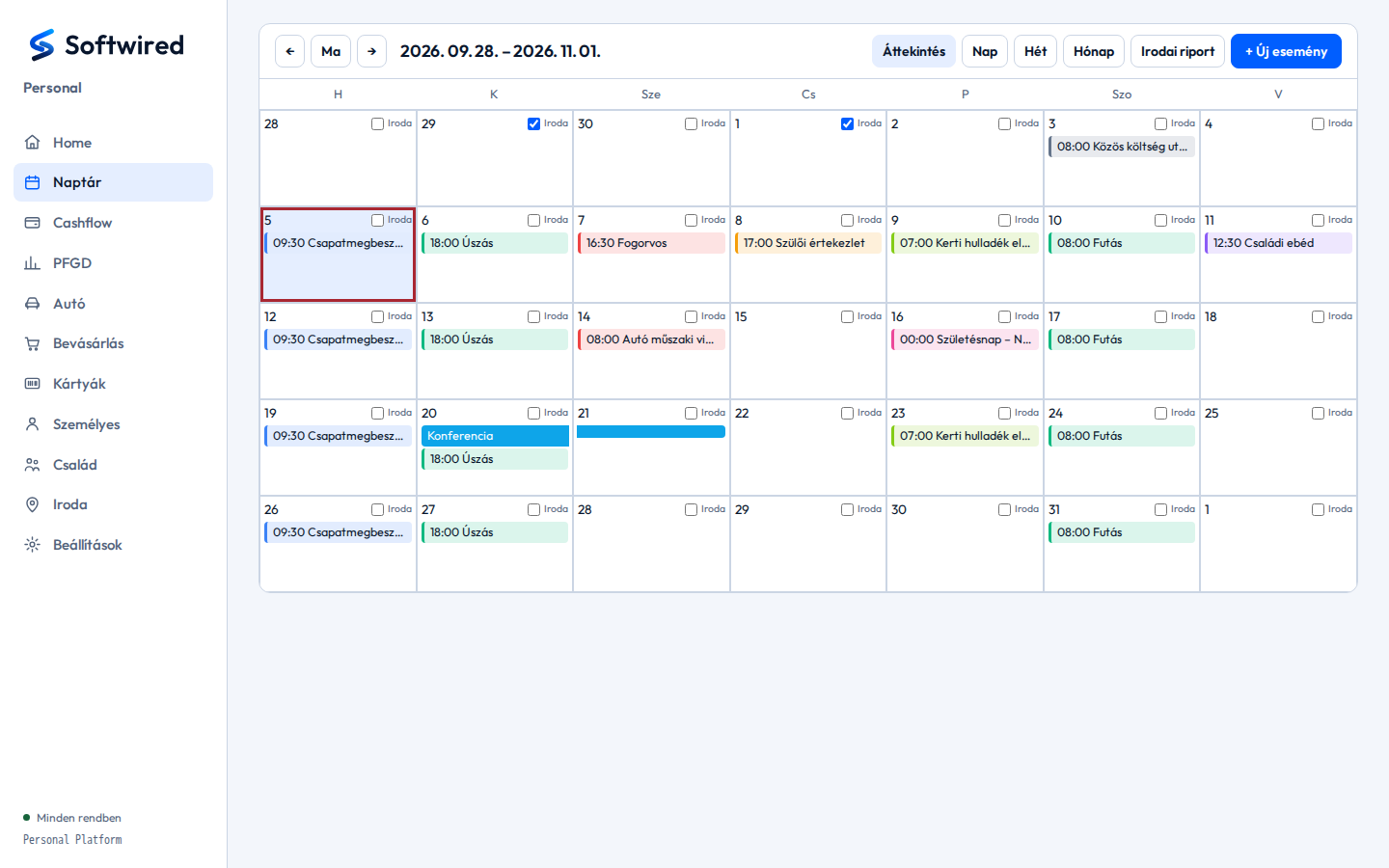
- Overview, day, week and month views.
- Recurring events (daily, weekly, monthly, yearly, any interval, optional end date); a single occurrence can be edited or deleted on its own.
- An “office” marker on every day: office days live in the calendar, set by hand or automatically (see Office).
- Multi-day events shown as bars.
- Office report for any period with CSV export. Events can trigger push reminders.
Office – automatic attendance
The iPhone's location automation (geofence) reports arriving at and leaving the office; the platform decides from this whether it was an office day.
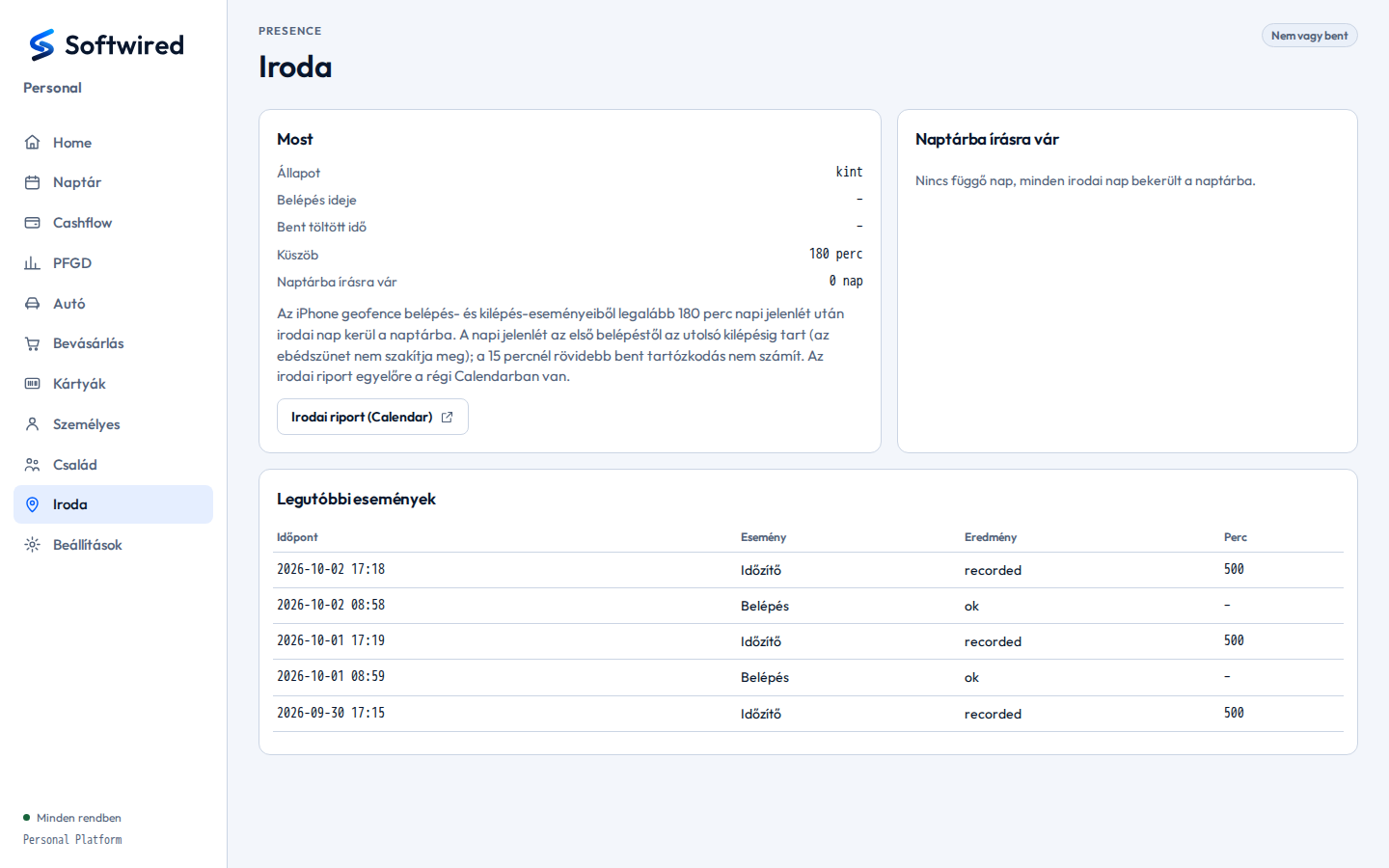
- Current state: in or out, since when, how much time has accumulated today.
- Rule: after at least 180 minutes of presence a day, it is written to the calendar as an office day. A lunch break does not split the day; very short stays (under 15 minutes) do not count.
- If writing to the calendar fails, the day goes into a queue and is retried later — nothing is lost.
- An event log of every arrival, departure and recording.
Car – cost log and company fuel card
A complete cost log for several vehicles; the statistics are derived from it automatically.
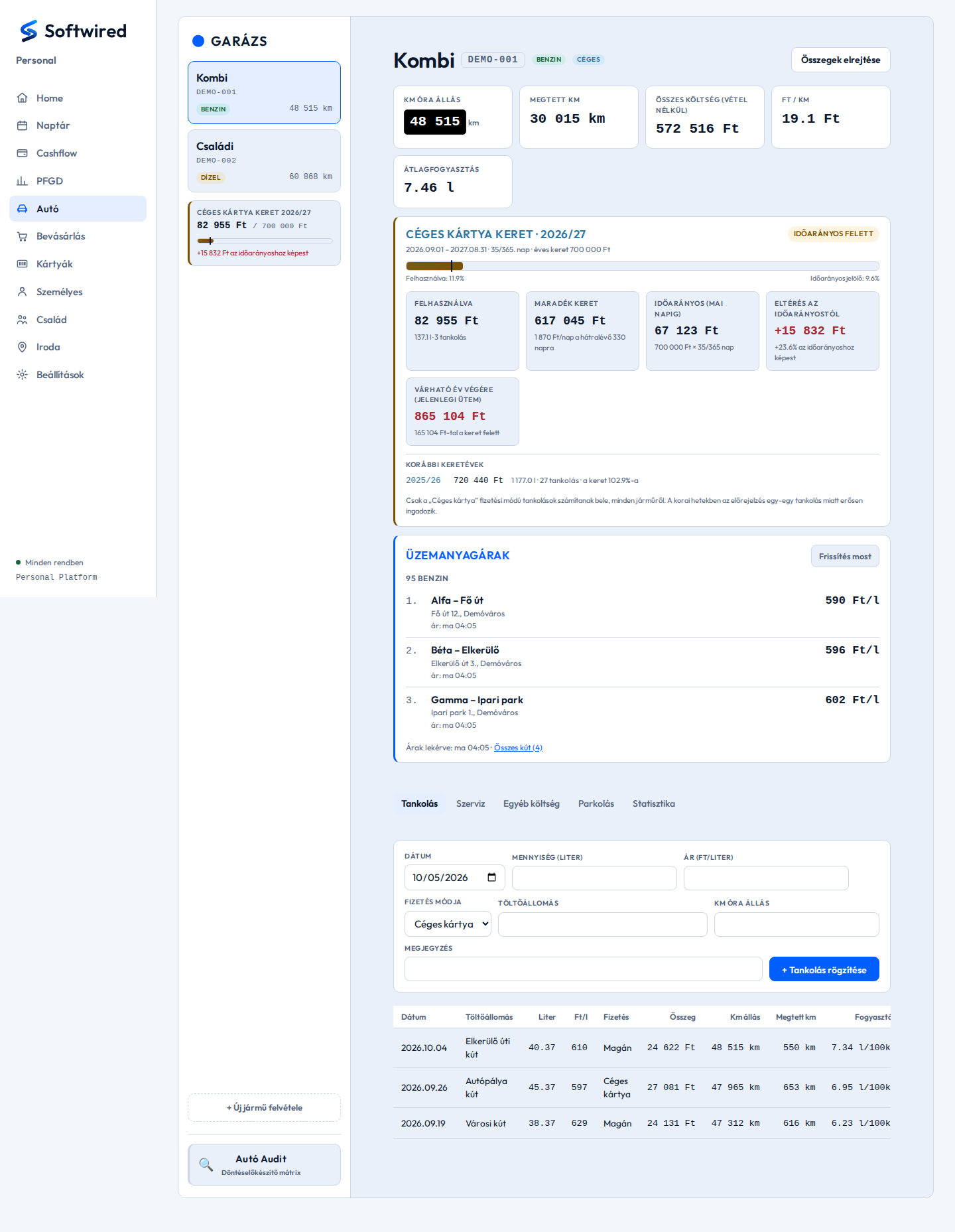
- Garage: several vehicles, each with odometer reading and fuel type.
- Automatic figures: distance driven, total cost, cost per km, average consumption (full tank to full tank).
- Company fuel card yearly budget: usage is compared with the time-proportional target, with a projection to the end of the year. Previous budget years are shown too.
- Fuel prices along the daily route: a daily refreshed list of the cheapest stations of the selected networks.
- Separate tabs for service, other costs, parking and statistics; a particulate-filter regeneration log for diesels.
- For a company car every refuel records whether the company card or private money paid — company-card refuels are excluded from private costs.
Car Audit – decision support
A comparison matrix for buying a car: one winner or a tie per criterion.
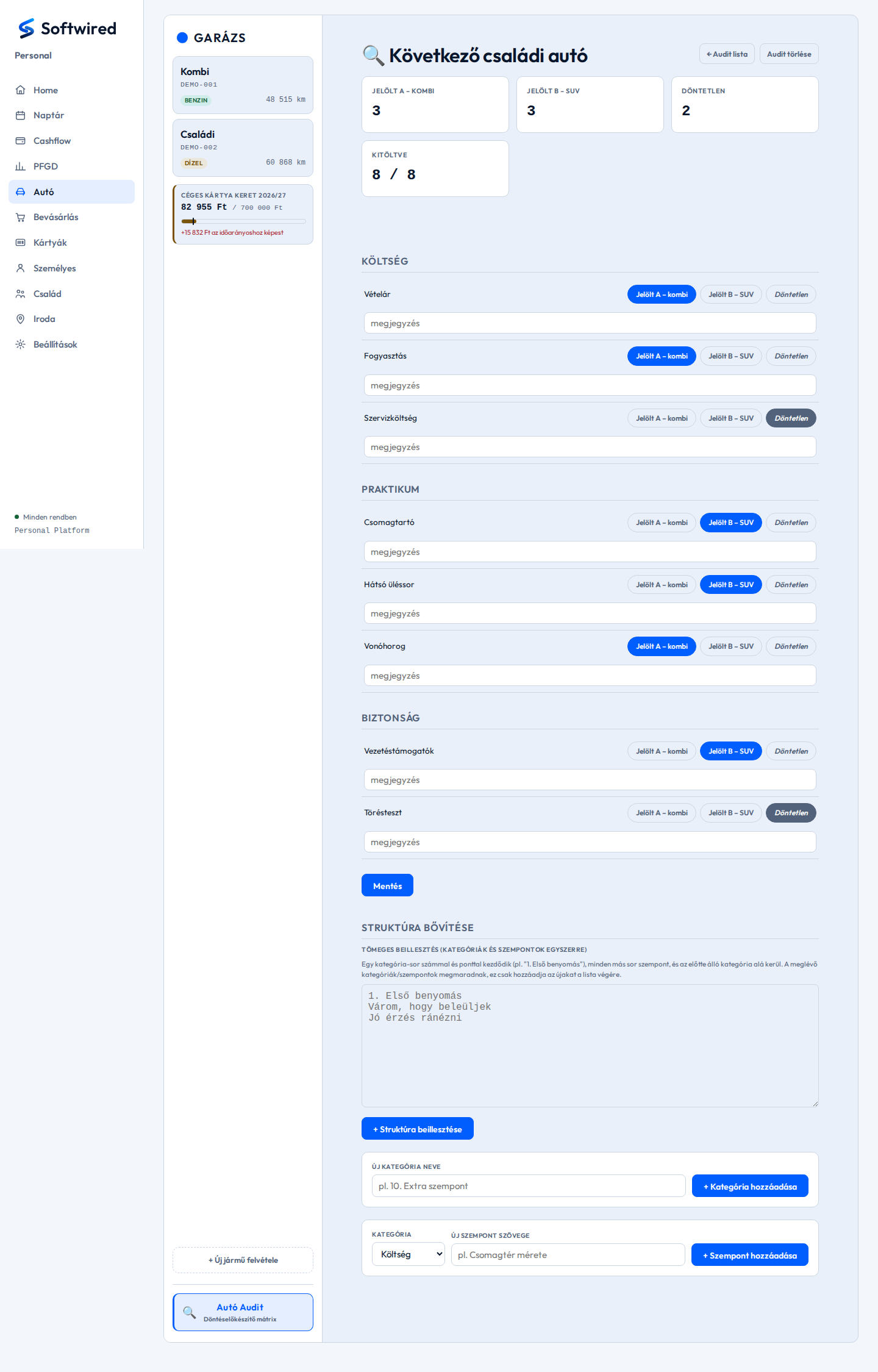
- Score: how many criteria each candidate won, how many ties, how much is filled in.
- Criteria grouped into categories, each with a one-click winner choice and a note.
- The whole set of criteria can be pasted at once as numbered text.
Shopping and loyalty cards
A personal and a shared shopping list, plus loyalty card barcodes on the phone.
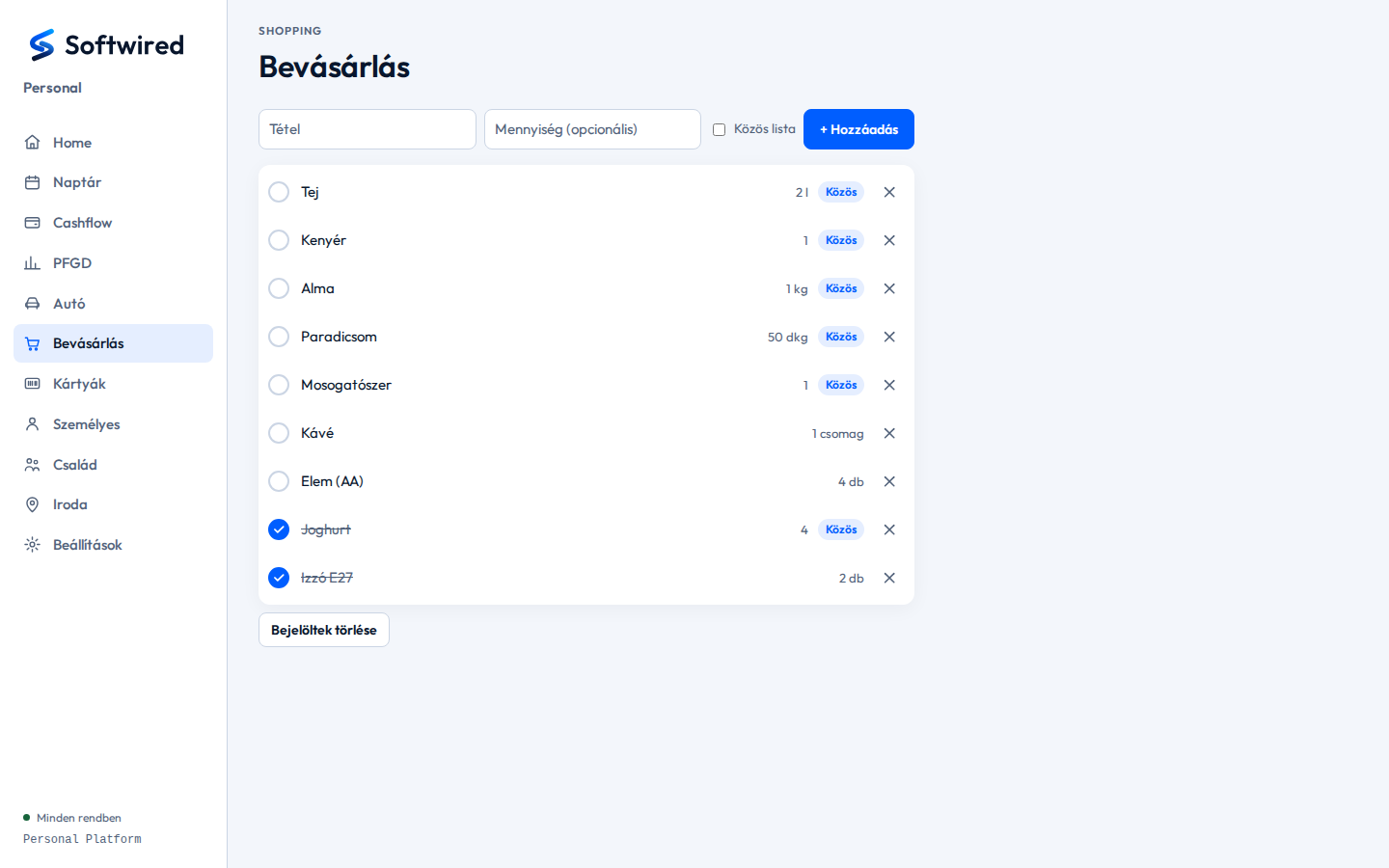
- When adding an item, a toggle decides whether it goes onto the shared list.
- “Shared” items are visible to the other family members in their own profile, and they can tick them off.
- Bought items move to the bottom when ticked and can be cleared with one button.
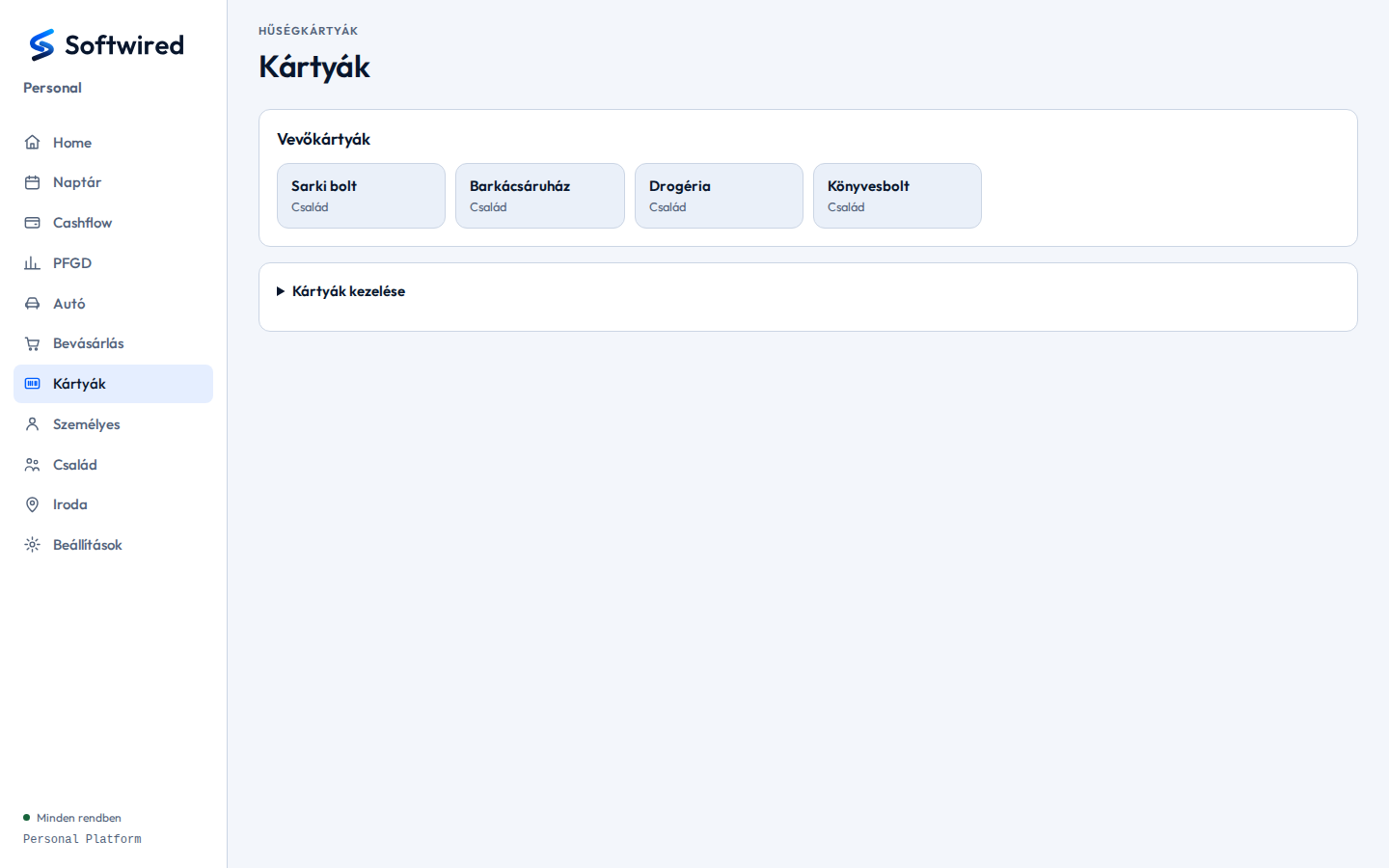
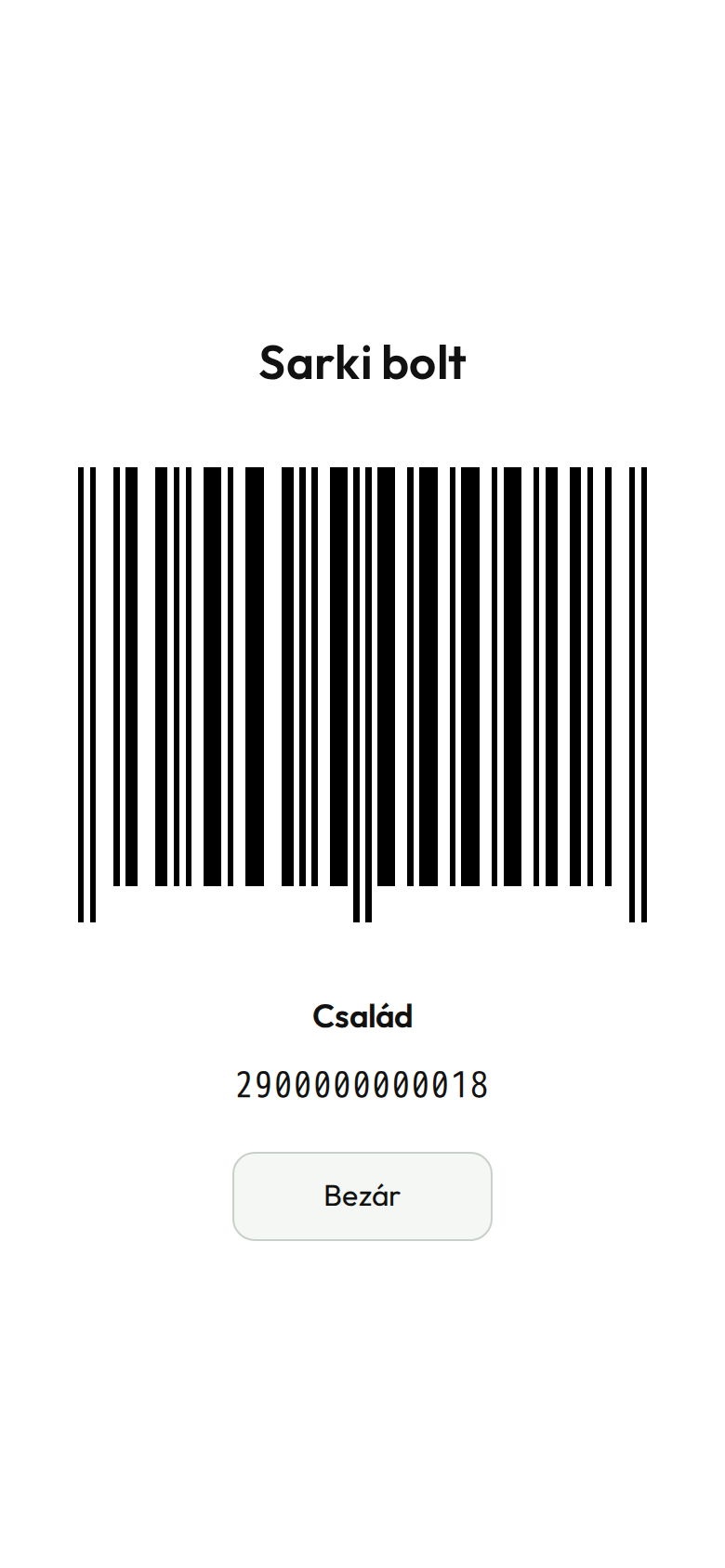
- All loyalty cards in one place, per store.
- Adding and editing cards (store, holder, number, code format).
- At the checkout the card is shown full screen as a barcode or QR code (EAN-13, Code 128 and other formats, with check-digit validation).
Personal – to-dos, notes, weight
The place for one's own, unshared things.
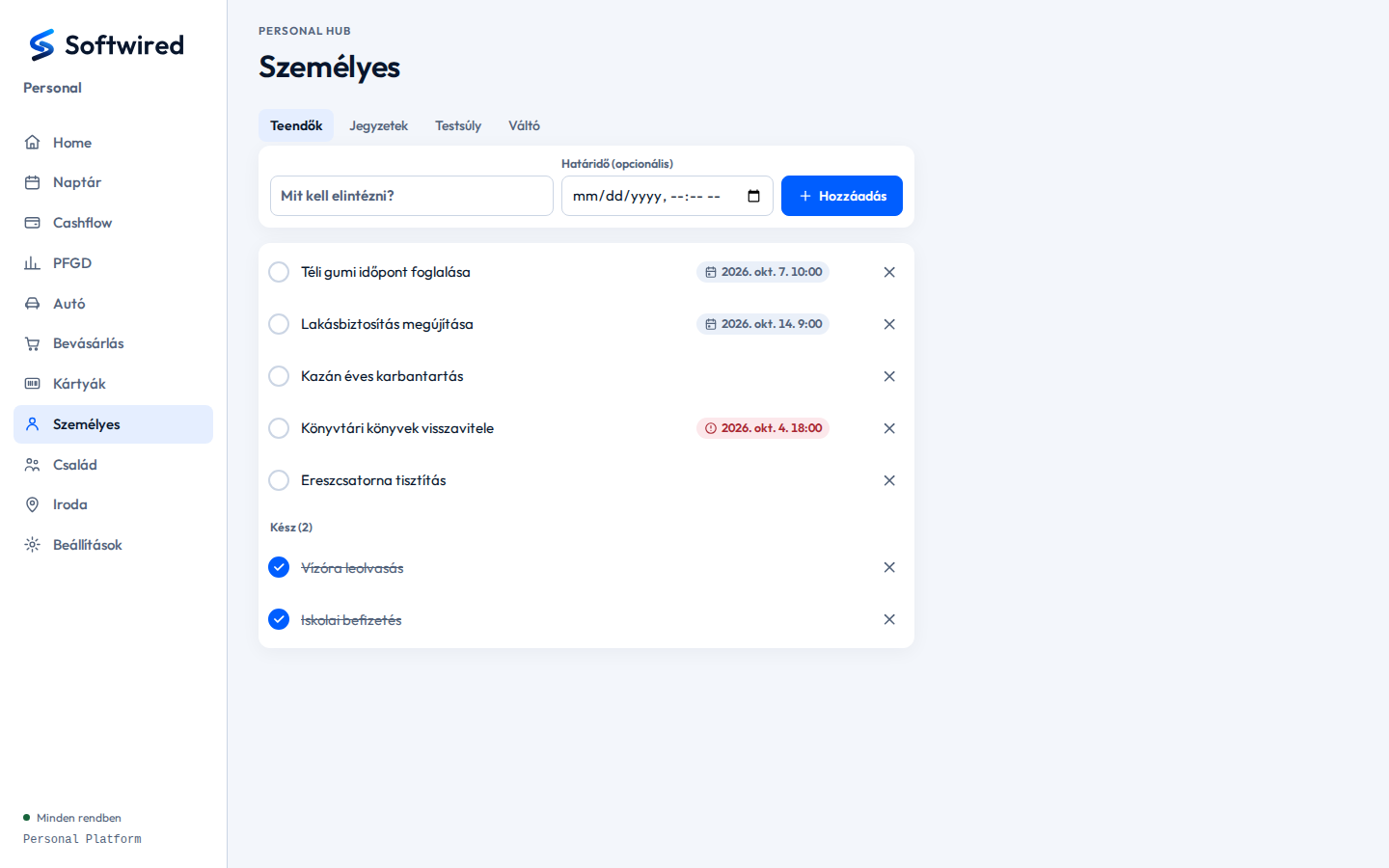
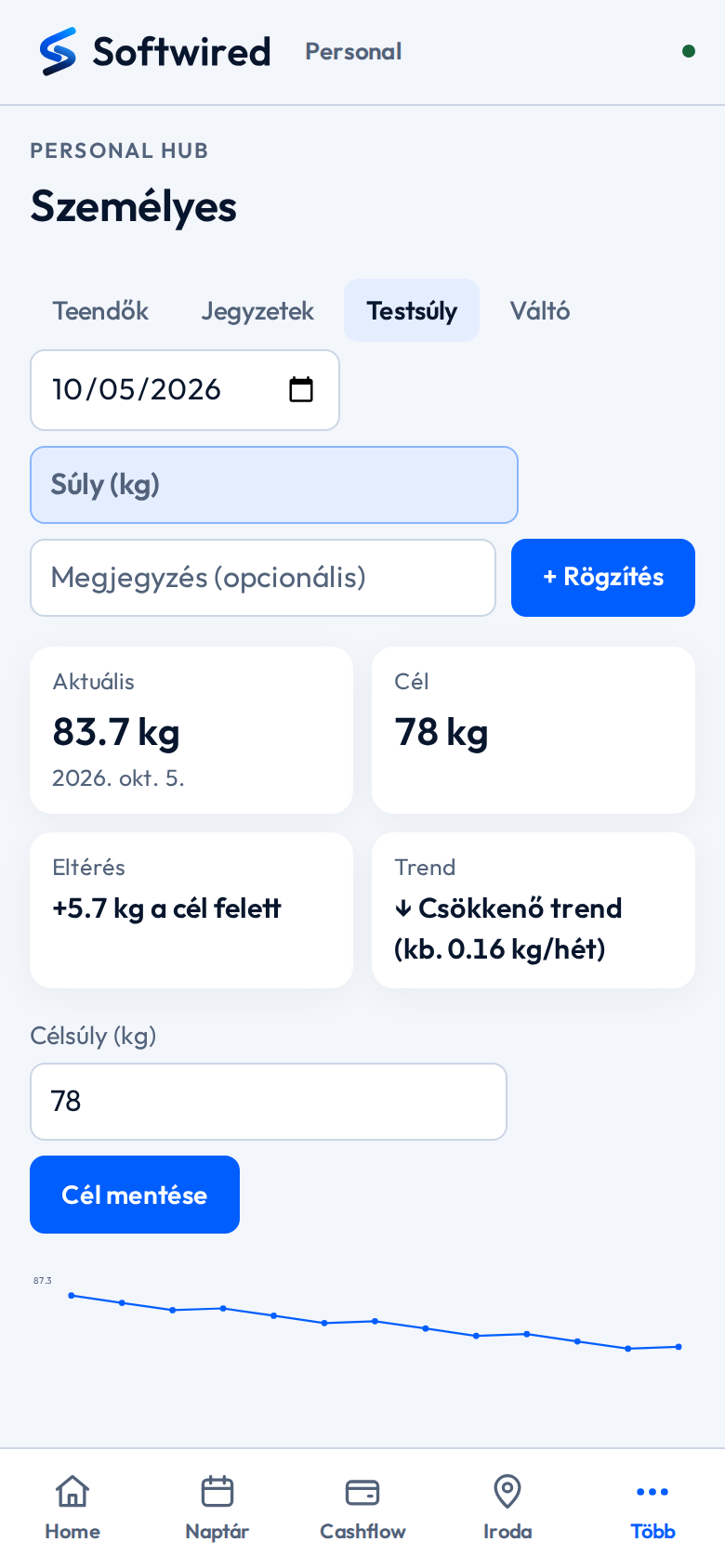
- Tabs: to-dos, notes, weight and a converter.
- To-dos with due dates; overdue items turn red and a push notification arrives when they fall due.
- Weight log with a target: current value, distance from the target and weekly trend.
- A chart of the measurements and the target line.
Family and a restricted profile
A shared family view, and a simplified profile for those who need only that.
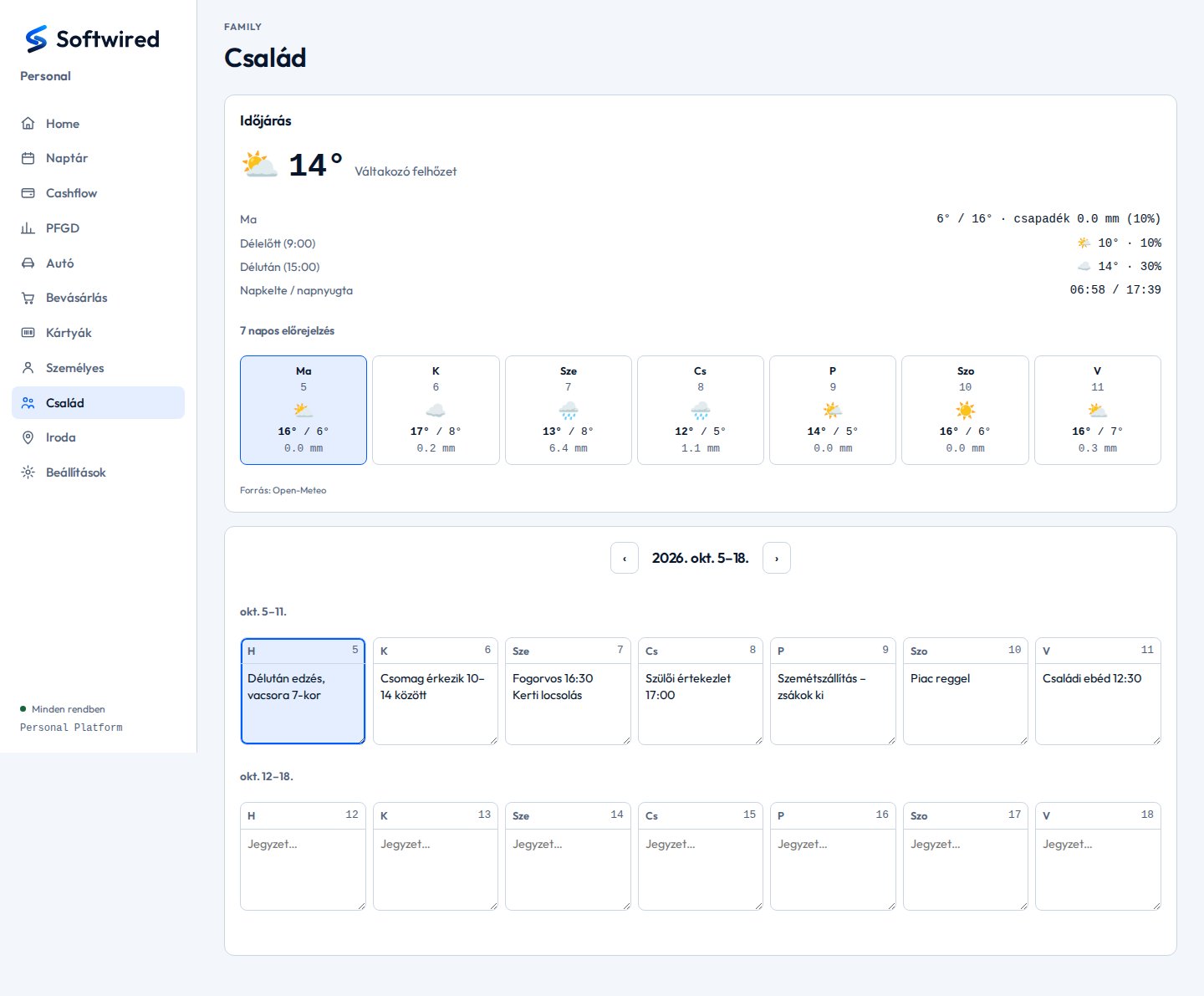
- Seven-day weather forecast.
- Two-week notes grid: one shared note per day (who comes when, what needs doing).
- Restricted profile: the family member sees only the pages meant for them (Home, Family, Cards); every other route is denied by default.
- On the restricted home page the shared account summary is read-only (blank in this showcase).
- The weekly notes are the same as on the Family page — both profiles can write them.
Finances – not shown here
The finance modules work with financial data, so they are not shown even with made-up data. In short, what they do:
Cashflow
Account balances, days until the next payday, recurring fixed costs and their due dates, monthly spending, and contributions to the shared account per person.
Bank SMS
An iPhone automation forwards the bank's notification texts; the platform recognises transfers, purchases and failed debits on the shared account, records them and sends a notification when needed.
PFGD – goal-based savings
Net worth and its change, savings goals and the allocation of assets to them, periodic reviews and a decision log.
The financial features are protected by additional safeguards.
Behind the scenes
- A single application split into modules: each module has its own database, and modules talk only through each other's public services. It gradually replaced the earlier, separately running applications; the old addresses and installed apps keep working unchanged.
- Per-user login with Face ID / passkey support, and roles (full and restricted profile).
- Push notifications that can be switched on and off per module (calendar reminder, office attendance, to-do due date, bank events), sent through a self-hosted notification service.
- Automatic booking of parking receipts: an automation forwards the e-mailed receipt, and the platform assigns it to the right car and filters out duplicates.
- A settings page showing the state of the backups and the last signal of each external data source (geofence, bank texts, parking, fuel prices) — if one stalls, it shows.
- Runs on a private server; not a public service.